
Singletons are one of the most used (abused) design patterns that people like to use. There will be only one instance of this class for the entire application, what a performance boost. However, most of the times you can just use a regular class instead of a Singleton to accomplish the same task. There are several things that I don’t like about the classic Singleton pattern
- It is really hard to test.
- It violates Separation of Concerns by internally creating instances of itself – a class should not concern itself with lifetime management.
- Lot of work to make it a non-singleton later on
First let’s look at an example where making a class a Singleton improves performance:
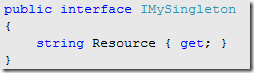
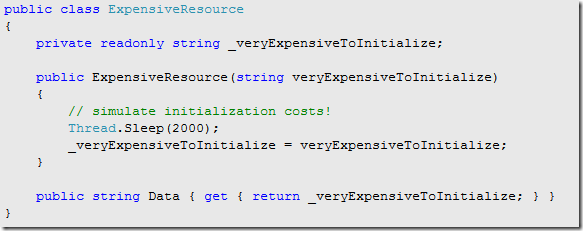
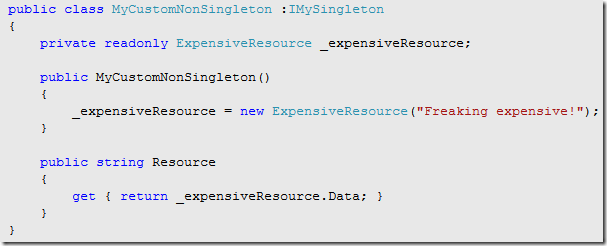

– Non-Singleton: Here I have a non-singleton class (MyCustomNonSingleton) which initializes a new instance of ExpensiveResource in order to get its data (whatever that might be – here it’s just a string to make it simple). ExpensiveResource class simulates delay by pausing for 2 seconds each time it is initialized. Then at the end I get three resources from MyCustomNonSingleton classes and simply print them on the console.
- Costs (6 seconds) – each time MyCustomNonSingelton class is initialized it also initializes ExpensiveResource class, which takes 2 seconds each
——————————————————————————————-
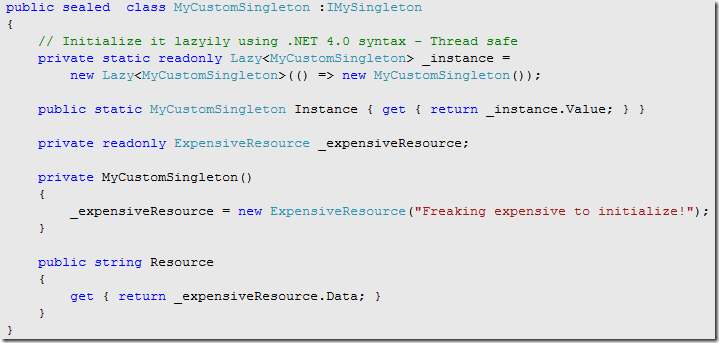
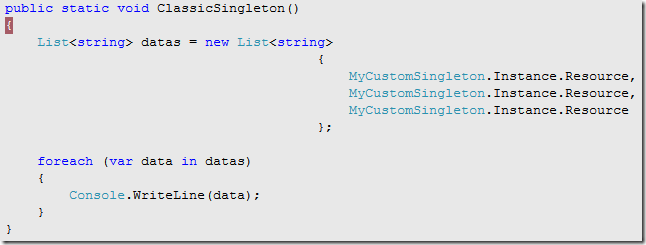
– Singleton: Above is my Singleton implementation using .NET 4.0 System.Lazy<T> type, which makes it simple and obvious that the class will be initialized lazily (msdn: http://msdn.microsoft.com/en-us/library/dd642331.aspx).
- Costs (2 seconds) – MyCustomSingleton class is initialized the first time when the program tries to access the “Instance” property. So we only take that initial 2 second hit of creating ExpensiveResources class, after that any call to MyCustomSingleton.Instance from anywhere in your program, will simply be handed the same instance of that class (all initialized and ready for you to use).
- However as I mentioned above that even though this design is effective it does not support UnitTest by default.
——————————————————————————————

– IOC Singleton: This is my preferred method of creating Singletons. You can basically have your cake and eat it too! In this example I am using Ninject but you can use any popular IOC container you prefer and they all support the concept of SingletonScope. Here during the bind process you simply tell Ninject to create this as a singleton – and you are done! Now anywhere in your application where you ask ninject to get you an instance of some class it will create a new instance if it is the very first time, else it will hand you the same instance that it already created.
- Costs (2 seconds) – Here in my example the first call to kernel.Get<IMySingleton>(), ninject goes through the initialization process for MyCustomNonSingleton class (2 seconds), during the subsequent calls to kernel.Get<IMySingleton>(); it simply returns the same instance.
- Extremely easy to implement
- Even easier to make it a non-singleton later on if design changes, simply remove (.InSingletonScope())
- Allows separation of concerns by taking out the lifetime management responsibility from the class
- Last but not least, it is now UnitTest friendly. You can use any Mocking framework to mock an implementation for IMySingleton interface during testing.

 Tenzin kabsang
Leave a comment