
By default MVC generates a textbox for a model property with a datetime value. But most of the time you would rather have it generate some sort of a datepicker utility instead, here I’ll modify my project to do exactly just that.
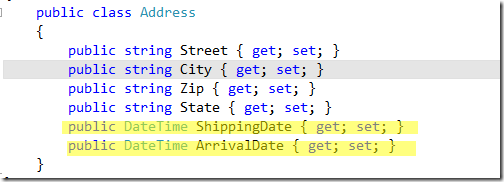
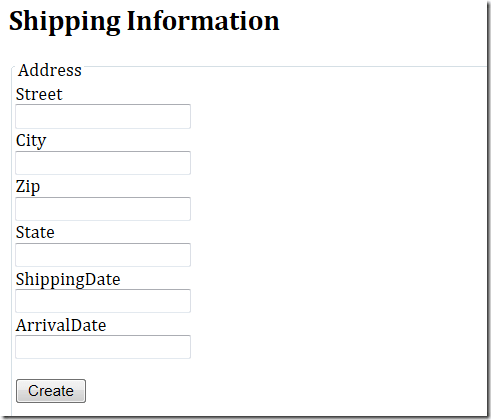
So here I have an Address class with two DateTime properties that I want to be displayed with the jQuery datepicker utility. Currently with the Html.EditorFor( ) helper method it simply displays a textbox:

Step 1: Add a new folder in you Shared View and name it “EditorTemplates”, then in this new folder add a new Partial View “DateTime.cshtml” and have it strongly typed to a DateTime. The reason for creating the EditorTemplates folder is because when using Html.EditorFor( ) in a view, the MVC framework checks for a template with the same name as the model and in our case it checks for a DateTime model in the EditorTemplates folder. If it finds one then it uses this custom template otherwise it simply generates a default template for what ever model you are using. Here we’re creating a template for a DateTime property but you can also create templates for your entire model and then when displaying a view for your model you can simply type Html.EditorForModel( ) and this will generate your custom template.


Step 2: Now in this new View add the following content.

So here we’re simply displaying the Date part of the DateTime value along with changing the input type from a ‘text’ to the new HTML5 ‘datetime’ field. Once this is done the MVC runtime will generate an input with a type of datetime for all of our DateTime properties from here on out.
<input id=”ArrivalDate” type=”datetime” value=”1/1/001” />
Step 3: Even though we changed the input type to a datetime field it still displays a regular textbox in the browser. To make it implement the jQuery datepicker add the links to the jQuery UI library and assign the datepicker utility to all the datetime fields in the default layout (_Layout.cshtml).

Now when you run your program all of the datetime fields will utilize the jQuery datepicker utility

This is quite a few steps to set this up but once it’s done all of our DateTime properties will automatically be generated as a datepicker utility with no additional work, which is pretty cool.

 Tenzin kabsang
Leave a comment